 Gojli
GojliMerge PDF – Merge PDF files into one online
What exactly is merge PDF, and what does it do?
Merge PDF is an online application that can combine two or more PDF files into one (1) single document. No need to deal with multiple independent files; you can just upload your PDFs, order as per your wish and merge them into one single well-combined file.
This comes in handy when you will have documents that are related, and you need to share, store or submit them together. For instance, you could have reports, invoices, assignments or contracts that are still remitted as separate PDF files in your folder. A PDF merging tool is the answer here, which allows you to merge these files together without having to recreate the documents manually.
You can easily merge PDFs, merge more than one PDF file and generate a single document using the Merge PDF tool. This online PDF utility can help students, professionals, businesses, freelancers and anyone dealing with digital documents streamline the organisation of files.
How Does Merge PDF Work?
Merging PDF files is an easy task. Step One: Add the PDF Files You Want to Merge The tool then shows the files that you chose to evaluate and organise.
This gives you the possibility to rearrange the order of the documents before making the final document. And this is significant since the order you select will represent how the pages appear in the merged PDF.
And when everything is in order, initiate the merging process. Now that it combines the documents, you simply get one PDF with all the pages from your selected files and their place in order. When the merging is done, you will download your merged document, & it works like any PDF after processing.
The basic process is:
Insert pdf files → Organize files → Combine documents → Check the output → Get the combined PDF
How to Use Merge PDF Online
Step 1: Upload Your PDF Files
Select the PDF files to be merged. Add more than one document from the upload option under the Merge PDF tool.
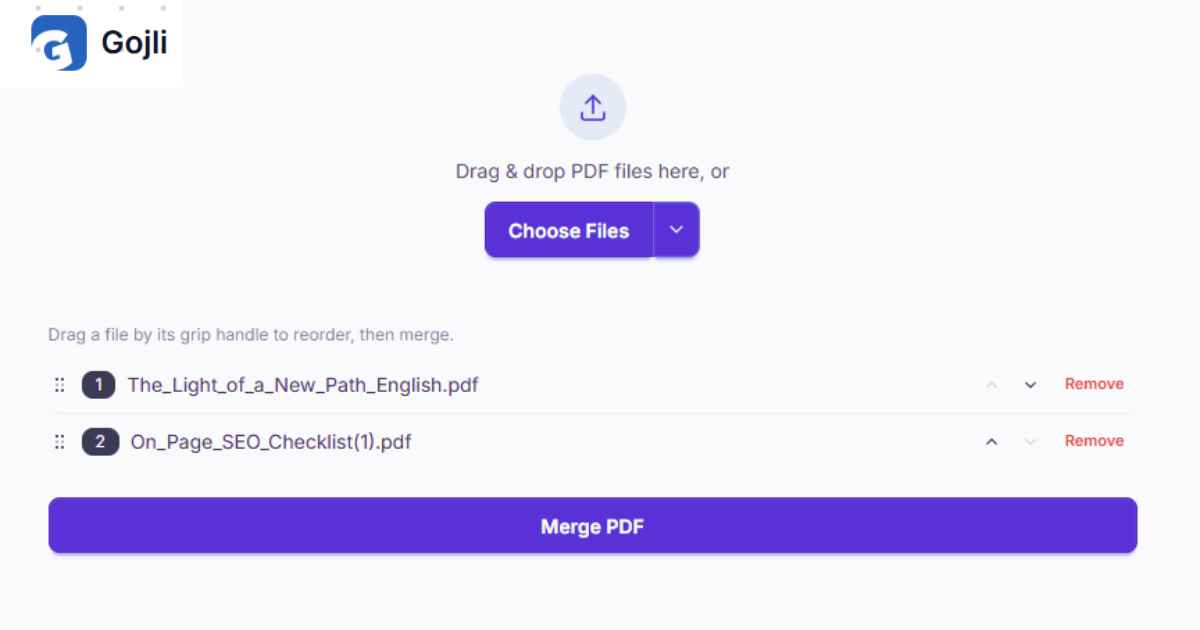
You provide files together which are related, for example:
- Multiple chapters of a document
- A few scanned pages stored in different PDFs
- Reports from different departments
- Invoices or receipts
- Assignment documents
- Contracts and supporting files
Make sure you select (:flag_US:) of the correct files prior to proceeding. Remove document(s) that do not belong if added by accident before merging.
Stage 2: Organize Your Documents within the Suitable Order
Once you have uploaded your documents, check the order carefully. The sequence of the files determines the sequence of content within the output device (the PDF here).
If you're combining (for instance):
- Cover Page
- Introduction
- Main Report
- Appendix
Ensure that the files are in that order before you merge them.
It is especially useful when you are merging several PDFs made independently. The files are organized first as it prevents the situation where you end up downloading a merged document which has pages in incorrect order.
Step 3: Examine the Chosen Papers
Add all PDF files required for the merging process before starting.
Review:
- If all essential files are added
- If the order of files is appropriate
- If any unwanted files should be deleted
- Can the documents go in one final file
A few seconds spent reviewing your files can ultimately save you time and prevent having to repeat the whole process later.
Step 4: Merge the PDF Files
Once your files are set, you can start processing by clicking on the merge button.
The PDF merger tool joins the selected documents into 1 file. The resulting document is in the order you selected and we can use it to create one in a PDF with several separate files.
By this, you do not need to copy pages by hand or reconstruct the documents in order to bring together related information.
Step 5: Download Your Merged PDF
Your new PDF will be available after the merging is done.
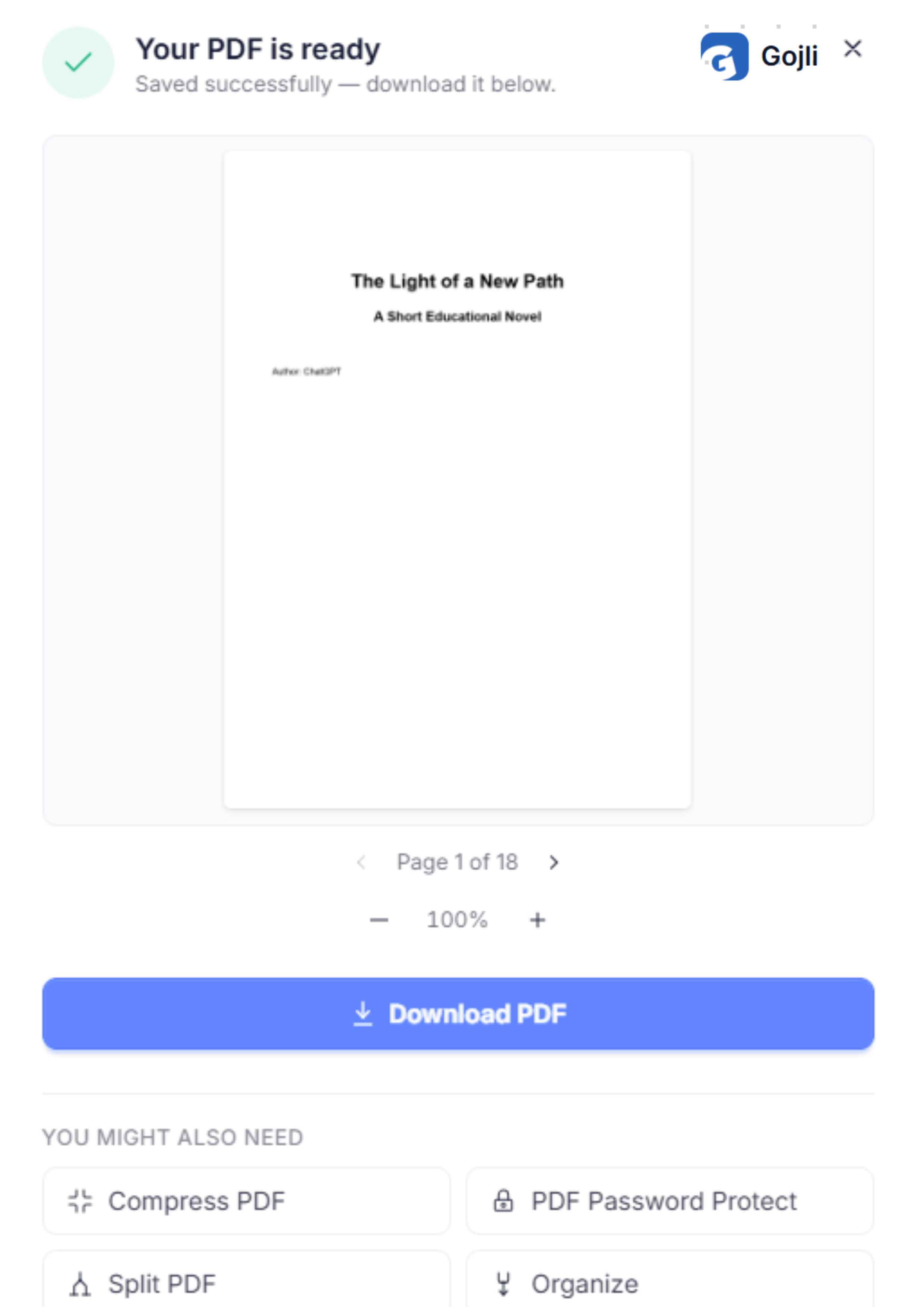
Check the preview or download if provided. If you are satisfied with the document, download the final file onto your device.
Now, you can use that merged PDF for sharing, uploading, printing or storing & submitting.
Key Features of Merge PDF
Combine Multiple PDF Files
The basic function of the tool is to combine multiple individual PDF documents into a single document.
Which is handy when information related to this is found in more than 1 document. One organised PDF file instead of several attachments.
Since a business can combine an offer, pricing document and some supporting information in one file and share it with the customer.
Arrange Files Before Merging
One of the most important aspects of creating a useful merged doc is file order.
You can organise the various files before processing to have control over what the final PDF looks like. This means placing introductory documents first, supportive documents afterwards, and appendices at the end.
User problem: Files are listed out of order.
Fix: Make sure your documents are in the correct order before merging.
Outcome: The PDF that we need to deliver is in a logical and easy-to-read format.
Merge Documents into One File
When dealing with multiple PDF files, it can get inconvenient if all these files belong to the same project or task.
The Merge PDF tool allows you to combine files into a single document, which can save you the trouble of organising various separate files.
This can help keep your digital workspace organised and easier to share. One consolidated document instead of adding 5 different PDFs to an email or upload form.
Download the Final Result.
Once the files are merged, you will be confronted by a page from where you can download the final PDF to be used further.
This lets you save a copy of the filled-in document that can be used anywhere you would need to submit a PDF file. It can be saved as one file with the rest of your project files for web upload, distribution to others, or printout when required.
Key Alternatives and Their Utilisation
File Order
File order controls the appearance of your document in the merged PDF to be created.
This option should be used whenever the order of information is important. For instance, merging pages based on alphabetical order or random order may lead to a report being unintelligible.
User Problem: There is a report that contains multiple PDF segments created separately.
Relevant Feature: File arrangement.
How to Use: Drop the files in the correct reader order.
Result: We expected the merged PDF to be much more readable in a manner matching our expectations.
Remove Unwanted Files
Upcoming — Before merging, check if every document you uploaded is actually meant to go in the final file.
If you added the wrong PDF by mistake, delete it first before processing. This helps to avoid unnecessary pages in the completed document.
Say you uploaded a report and later decided to update it but still have the old version somewhere in the file.
Review Before Processing
This is a useful but simple step on how to review your selected files before merging.
Examine the document names and sequencing before you click to merge. This is especially important if working on a lot of files with similar names.
A cursory review prevents you from compiling a PDF with omitted, redundant, or misbound documents.
How Merge PDF Helps Users
The PDF merger tool assists with easier document management by merging all files into a single organised document.
Assignments and supporting documents can be combined before the student submits. Professional allows users to merge different reports and attachments into a single file. Businesses are able to do so by organising proposals, invoices or documents for easier sharing. People can also merge scanned documents together when necessary so that everyone keeps related data.
It saves time because you do not have to recreate documents manually just to combine their contents. You can still get your files prepped, organised, and distilled into a single PDF.
It could also be more convenient to manage documents if a website, employer, school or organisation wants just one PDF instead of different files at once, so an online PDF tool is very effective in this case.
Tips for Better Results
So in order to enjoy the best experience possible when merging PDF files, here are some tips that you need to apply:
- Upload Your Files in Suitable Order: Plan your documents.
- Check file names carefully: Similarity in name can easily lead to an option for selecting the wrong document.
- Remove unnecessary files: Delete to Leave Documents That Should Go into Final PDF
- Look through the order here: Confirm that the first and last documents are in place.
- Inspect the output file: After downloading, open the merged PDF to make sure all documentation shows up as intended.
This is especially useful if you are merging necessary documents; take a quick look at the original files before joining. But you can save yourself from redoing this work by correcting missing or incorrect content before processing.
Download, Save, and Use Your Final PDF
Once the process for merging PDFs is complete, download the final PDF using Save As to a location that makes sense on your local device.
Before posting or sending the file, open the final PDF and check that your documents are in the right order. Check if all your needed sections are included or not by adding unwanted files.
- You could then collect your PDF and share, upload, print or send as a whole document. No matter if you want to merge PDFs for work, education, enterprise or personal uses, we developed Merge PDF that combines additional information together as group documents and better organises your papers.